
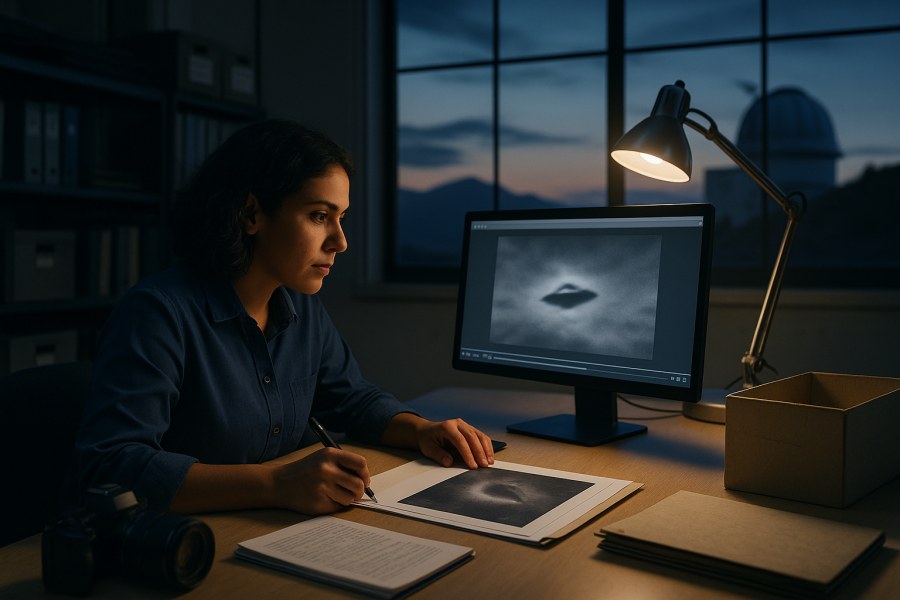
Source note (Taming Gravity editorial standard): this guide focuses on evidence-handling practice and basic imaging forensics so readers can separate what is physically preserved from what is merely asserted. Where we mention physics or instrumentation implications, we keep them distinct from interpretation. The goal is not to “prove” extraordinary claims from a clip—it’s to keep the data usable long enough to test ordinary and extraordinary hypotheses fairly.
If you’ve ever watched a compelling UAP clip dissolve into arguments about “it’s edited” or “the metadata is gone,” you’ve seen the central problem: most UAP media fails before anyone even reaches the hard part (what the object is). The first gate is chain of custody—documenting where the file came from, how it was handled, and whether it can be shown to be the same data captured at the time of recording.
Chain of custody won’t magically turn shaky footage into a solved case. But it can keep a potentially useful observation from becoming unusable. It also protects sincere witnesses from avoidable doubt, and it protects analysts from overconfidence based on corrupted or incomplete material—aligned with Taming Gravity’s principle: find the science, not the fiction.
What “usable” means for UAP photos and video
In practice, “usable” evidence is evidence that can be independently evaluated. That requires more than visual impact. For imagery, it usually means:
- Provenance: a credible, documented path from capture device to current file.
- Integrity: the file can be shown not to have been altered (or alterations are fully documented and reversible).
- Context: time, location, viewing geometry, and camera settings are known well enough to test hypotheses.
- Corroboration potential: the observation can be compared against other data sources (other cameras, radar, ADS-B, astronomy apps, satellites, weather, etc.).
A key mindset shift: a video is not a “thing in the sky.” A video is a measurement produced by an imaging system with constraints, failure modes, and artifacts. A chain of custody is how you preserve the measurement so those constraints can be analyzed instead of guessed.
Evidence categories: don’t mix them
When people debate UAP evidence, they often collapse different types of claims into one pile. Keeping categories separate improves clarity and fairness.
- Physical evidence: the original camera file(s), original device, storage media, and any associated sensor logs.
- Official records: dispatch logs, aviation/air traffic records, incident reports, authenticated radar summaries, etc. (when available).
- Testimony: witness statements, interview notes, and timelines.
- Inference: conclusions drawn from analysis (e.g., “likely aircraft based on strobe cadence”).
- Disputed claims: conflicting accounts, undocumented “enhancements,” or uncertain file histories.
- Speculation: narratives about intent, technology, or origin that exceed what the data supports.
Chain of custody primarily strengthens the first category (physical evidence) and prevents it from being overwritten by the others.
Chain of custody, in plain language
A chain of custody is a record showing:
- Who handled the evidence
- When they handled it
- What they did (copy, transfer, compress, edit, view, upload)
- Where the evidence was stored
- How integrity was maintained (e.g., hashes, write-protection, preserved originals)
You don’t need a lab to do this well. You need a disciplined workflow.
The minimum viable chain of custody (MV-CoC)
If you only do one thing, do this: preserve the original and document everything after.
Step 1: Preserve the original capture
- Do not edit the original file. No trimming, no filters, no “enhance,” no re-encoding.
- Stop apps from “optimizing.” Some messaging and cloud tools resize or recompress automatically.
- Copy the file off the device using a method that preserves the original format. If possible, export as “original” (many phone photo apps offer this).
Why this matters: once a platform recompresses a video, you can lose metadata and introduce artifacts that look like “anomalous motion,” banding, or false structure. Analysts can often detect recompression, but they can’t reconstruct what was thrown away.
Step 2: Make two working copies
Create:
- Archive copy: stored read-only if possible (external drive, write-protected media).
- Working copy: for viewing, sharing with analysts, or making derived versions (cropped, stabilized) as long as you clearly label them.
Step 3: Record a simple custody log
A custody log can be a text file or notebook. Capture:
- Date/time of capture (as shown on device) and time zone
- Exact location (GPS if available; otherwise address/landmark + direction faced)
- Device make/model and camera app used
- How the file was transferred (cable, AirDrop, cloud export, etc.)
- Every person who received a copy, and what version they received
Step 4: Generate file integrity hashes (best practice)
A hash is a digital fingerprint of a file. If a single bit changes, the hash changes. If you can produce a hash for the original file early, you can later prove the file hasn’t changed.
- Use a widely accepted hash function (e.g., SHA-256).
- Record the hash in your custody log along with the filename and file size.
- If you create derived versions (cropped, stabilized), hash those too—clearly labeled as derivatives.
Note: this doesn’t prove the content is “real,” only that the file is unchanged since hashing. That’s still a major improvement.
What to capture in the moment (without turning into a cameraman)
In the real world you have seconds. The goal is to capture context that later allows geometric and mundane explanations to be tested. Think like a field note taker, not a filmmaker.
Video priorities
- Keep recording longer than you think. Start early, end late. Motion cues and lighting changes are useful.
- Include reference objects: horizon, buildings, treeline, stars, streetlights. Avoid zooming to the point that all references vanish.
- Say key facts out loud on audio: location, direction (e.g., “west over the lake”), approximate elevation angle, and any audible aircraft.
- If you zoom, zoom slowly and briefly return to wide shot for context.
Still photo priorities
- Take a quick burst: wide, medium, and zoomed frames if possible.
- Try a second photo that includes a clear landmark to establish geometry.
- If your phone allows it, capture in a format that preserves more data (for example RAW for photos). If you don’t know how, don’t fumble—getting any contextual shot can be more valuable than missing the event.
Witness notes (30 seconds)
Write or voice-memo:
- Start/end time (to the minute is fine)
- Direction of travel
- Brightness relative to known objects (Venus, streetlight, aircraft)
- Any maneuver you consider unusual (and what exactly changed: speed, direction, brightness, shape)
Common pitfalls that break UAP media (and how to avoid them)
1) Sharing via messaging apps
Many messaging apps automatically recompress, strip metadata, or convert formats. That can create the appearance of “missing frames,” odd motion, or new compression blocks that look like structure.
- Safer approach: share the original file using a method that preserves it as-is (for example, a direct file transfer), and label it “original.” If you also share a smaller “viewing copy,” label that too.
2) Editing before archiving
Even innocent edits (trim, rotate, stabilize) can rewrite timestamps, remove metadata, and destroy forensic signals.
- Rule: archive first, edit later, and keep both.
3) Screen-recording a video instead of exporting it
Screen recordings create a new video with a new codec, new frame rate behavior, and a new metadata story. They are almost always inferior for analysis.
- Rule: export the original file, don’t re-record the screen.
4) “Enhancement” without documentation
Contrast boosts, AI upscaling, denoising, and sharpening can all create hallucinated edges or remove details needed to identify mundane causes (like out-of-focus point sources, bokeh shapes, or rolling shutter artifacts).
- Best practice: keep a pristine original; treat enhancements as demonstrative, not evidentiary, unless the process is documented and reproducible.
5) Losing the negative evidence
People often delete “boring” clips. But “nothing happens” before/after can be useful: it can show stabilization behavior, exposure settings, or that the bright object was present only during a certain interval.
- Rule: keep the whole sequence, not only the exciting segment.
What analysts need (and why)
If you want others to evaluate your media fairly, anticipate the questions they must answer. Most analysis starts with: could this be a plane, helicopter, satellite, balloon, drone, star/planet, lens artifact, or camera artifact?
Core context checklist
- Time: local time and time zone; whether device time was accurate (auto time on/off)
- Location: coordinates or nearest intersection; altitude if known
- Camera details: device model; lens used (wide/tele); zoom level; any night mode; whether stabilization was on
- Viewing geometry: direction faced; approximate elevation angle; whether you were moving
- Environment: clouds/haze; wind; nearby bright lights; reflections through glass
These details are not “bureaucracy.” They’re the difference between a testable hypothesis (e.g., “bright planet near horizon with atmospheric scintillation”) and a debate fueled by vibes.
Separating capture artifacts from object behavior
A recurring UAP trap is attributing camera behavior to object behavior. Here are a few common examples to keep your analysis grounded.
Autofocus hunting and exposure pumping
A bright point source at night can cause the camera to repeatedly refocus or adjust exposure, making the object appear to pulse, change size, or “morph.” That is not proof of shape-shifting; it may be the camera trying (and failing) to lock focus.
Digital zoom and stabilization “swim”
High zoom magnifies handshake and can trigger electronic stabilization artifacts that look like drifting or micro-accelerations. If the background also warps subtly, suspect stabilization rather than exotic motion.
Rolling shutter and prop/rotor aliasing
Some sensors read out line-by-line, which can distort fast-moving objects or blinking lights. Combined with anti-flicker processing, this can create apparent irregular blinking or skewed shapes.
Out-of-focus points: bokeh is not structure
Defocused bright points can take on shapes determined by the lens aperture and internal reflections. Triangles, donuts, and “craft-like” silhouettes can result from optics rather than an object’s geometry.
None of these points “debunk” a case by themselves. They simply set a baseline: extraordinary interpretations should survive ordinary imaging physics.
Steel-manning both sides: what chain of custody can and can’t do
The conventional view (steel-man)
Most UAP clips are expected to be explainable as common objects plus perceptual and camera artifacts. From this view, chain of custody is essential because it prevents the analysis from being dominated by untraceable edits and context-free reposts. It also protects the public from misinterpretations that can spread quickly when the original data is unavailable.
The unconventional view (steel-man)
Some cases may involve genuinely unidentified objects after competent screening, and some may involve multi-sensor anomalies or behaviors that don’t neatly match known platforms. From this view, chain of custody is essential because it preserves the possibility of serious study: without integrity and context, even a rare, important observation becomes indistinguishable from hoaxes and artifacts.
The shared conclusion
Both perspectives converge on the same practical requirement: preserve originals, document handling, and keep the context. Chain of custody doesn’t pick a side; it raises the quality of the argument.
A practical workflow: from phone to “analysis-ready” package
Here’s a workflow an intermediate reader can actually follow.
1) Create an “evidence folder” immediately
- Folder name example: UAP_YYYY-MM-DD_Location
- Inside: Original, Working, Notes, Exports
2) Export the original files
- Move the original(s) into Original.
- Do not rename if you can avoid it; if you must rename, record the old/new name mapping in notes.
3) Write a one-page case note
In Notes, create a file with:
- Observer(s) and contact method (if you intend to share privately)
- Timeline (start/end)
- Exact viewing location and direction
- What you saw with the naked eye vs what appears on camera
- Any reasons you think it’s not a common object (and what would change your mind)
4) Generate hashes (optional but strong)
Hash each original file and paste the hash values into the case note. If you later share the file with an analyst, you can share the hash too so they can verify they received the same bits.
5) Create derivatives transparently
If you need to crop, stabilize, or adjust brightness to help viewers see what you saw, do it in Working and export to Exports with naming like:
- …_DERIV_crop
- …_DERIV_stabilized
- …_DERIV_levels
Record exactly what you did (software and settings, if known). The derivative may be helpful, but the original remains the evidentiary anchor.
What “missing evidence” looks like (and how to reduce it)
Many UAP cases remain unresolved not because they are exotic, but because critical information is absent. Here are common gaps and ways to address them.
Missing: precise time
Why it matters: without time, you can’t reliably check aircraft corridors, satellite passes, or astronomy objects.
Mitigation: immediately note the time, and if you can, capture a short clip including a phone lock screen time after the event (as a separate file) while describing what it relates to.
Missing: wide-field context
Why it matters: without reference points, apparent speed and direction are nearly impossible to estimate.
Mitigation: keep a few seconds of wide shot before/after zooming.
Missing: original file
Why it matters: reposted clips are often recompressed and stripped of metadata, making them hard to trust and hard to analyze.
Mitigation: keep the original and share it privately with trusted analysts; share a viewing copy publicly if needed.
How chain of custody interacts with “gravity” claims
Taming Gravity readers often ask: what if the clip shows acceleration that suggests exotic propulsion, maybe even “gravity control”?
Here’s the careful framing:
- Observation: the video may show apparent motion or apparent acceleration in image coordinates (pixels over time).
- Measurement problem: pixel motion is not the same as real-world motion unless you know distance, lens parameters, and camera motion.
- Inference: you can estimate bounds only if you have geometry (reference points, triangulation, or known object size/distance).
- Speculation: attributing any remaining “high performance” to metric engineering or gravity manipulation goes beyond what single-camera video typically supports.
Chain of custody doesn’t prove advanced physics—but it prevents the more basic failure where you can’t even trust the timestamps, frames, or file history. If you care about hard questions, you start with hard evidence handling.
Where this fits in the Taming Gravity approach
And if you’re interested in how technical measurement tools can reveal information that ordinary imaging can’t (while still requiring rigorous handling), you may also like our piece on precision imaging concepts: https://taminggravity.com/holographic-camera-sees-the-unseen-with-high-precision/.
A quick “usability score” you can apply to any clip
Before investing hours, rate a UAP video (including your own) on these six questions:
- Original available? (Yes/No)
- Known source and handling? (documented transfers, minimal edits)
- Time and place known?
- Wide context included?
- Device details known?
- Corroboration possible? (other witnesses/sensors/logs)
A clip that scores poorly might still be interesting culturally, but it is unlikely to support strong technical conclusions. A clip that scores well may still have a mundane explanation—but at least you can test that explanation rather than argue about file authenticity.
Conclusion: protect the signal before debating the story
UAP media tends to fail in predictable ways: lost originals, undocumented edits, missing context, and muddled timelines. Chain of custody is the antidote—not because it guarantees an answer, but because it preserves the conditions required for an honest evaluation.
If you remember only three rules, make them these:
- Archive the original first.
- Document the context and every transfer.
- Label derivatives clearly and keep them separate.
That’s how you give both conventional explanations and unconventional possibilities a fair hearing—by keeping the evidence stable enough to be tested.
Q&A
What is chain of custody for UAP photos and video?
Chain of custody is a documented record of where a UAP file came from, who handled it, what they did to it (copy, transfer, edit), when those actions happened, and how the original’s integrity was preserved. It helps others verify they are analyzing the same data captured at the time of the event.
Does a strong chain of custody prove a UAP video is authentic or extraordinary?
No. It can’t prove what the object is, and it can’t rule out ordinary explanations. What it can do is make the file itself trustworthy as a measurement—so analysts can evaluate mundane hypotheses (aircraft, satellites, optics, camera artifacts) before anyone jumps to extraordinary claims.
What’s the biggest mistake people make when sharing UAP media?
Sharing only a recompressed copy (through messaging apps or social platforms) and losing the original. Recompression often strips metadata and introduces artifacts that can mimic “anomalous” behavior. Preserve the original file first, then share a clearly labeled viewing copy if needed.
What should I record in the moment to make my video more useful?
Keep some wide-field context (horizon/landmarks), record longer than you think, and state key facts out loud on audio: location, direction faced, approximate elevation angle, and any relevant environmental notes (clouds, wind, nearby bright lights). These details help later analysts test geometry and common-identification possibilities.
Are ‘enhanced’ or AI-upscaled versions of a UAP clip useful?
They can be useful for communication (helping viewers see what the witness noticed), but they should be treated as derivatives, not the primary evidence. Enhancements can add or erase features. Keep and share the untouched original alongside any processed versions, with clear labels and a description of what was done.














Leave a Reply